
This tutorial will show you how to synchronize your iPhone’s calendar, email and contacts with your Exchange account at the Eindhoven University of Technology (TU/e). It does not matter which way you are connected to the internet, but you may want to read how you can connect to the wireless network of the University. You may also connect through the wireless network at home, or outside through the T-Mobile telephone network. This tutorial assumes that you are currently connected to the internet. Continue reading “Synchronizing your iPhone with the TU/e Exchange server”
Connecting your iPhone to the TU/e network
This tutorial will show you how you can connect your iphone to the wireless network of the Eindhoven University of Technology (TU/e). We will connect to the tue-wpa2 network, but the same process also works for the eduroam network. In another tutorial I show you how to synchronize with the Exchange server. Continue reading “Connecting your iPhone to the TU/e network”
Duplex printing on Canon Pixma iP4600
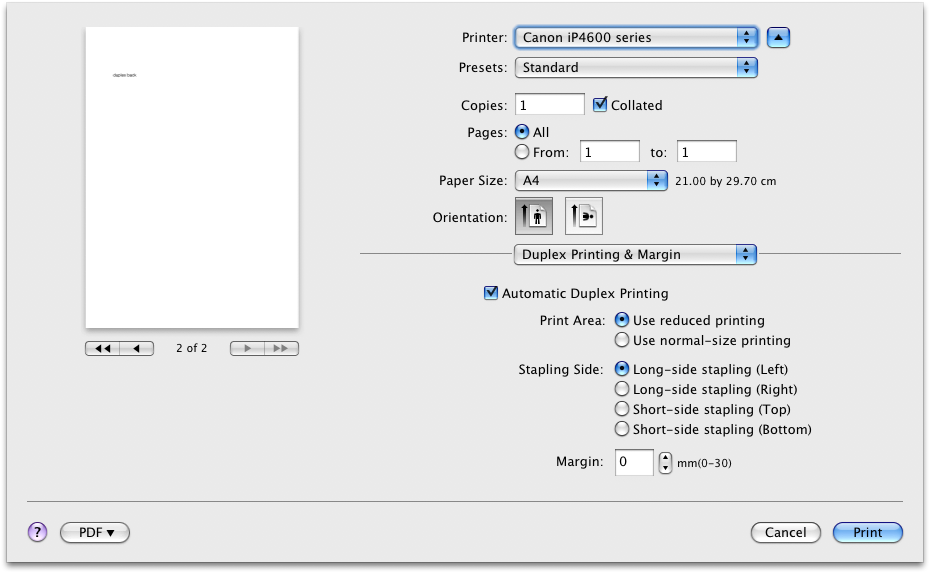
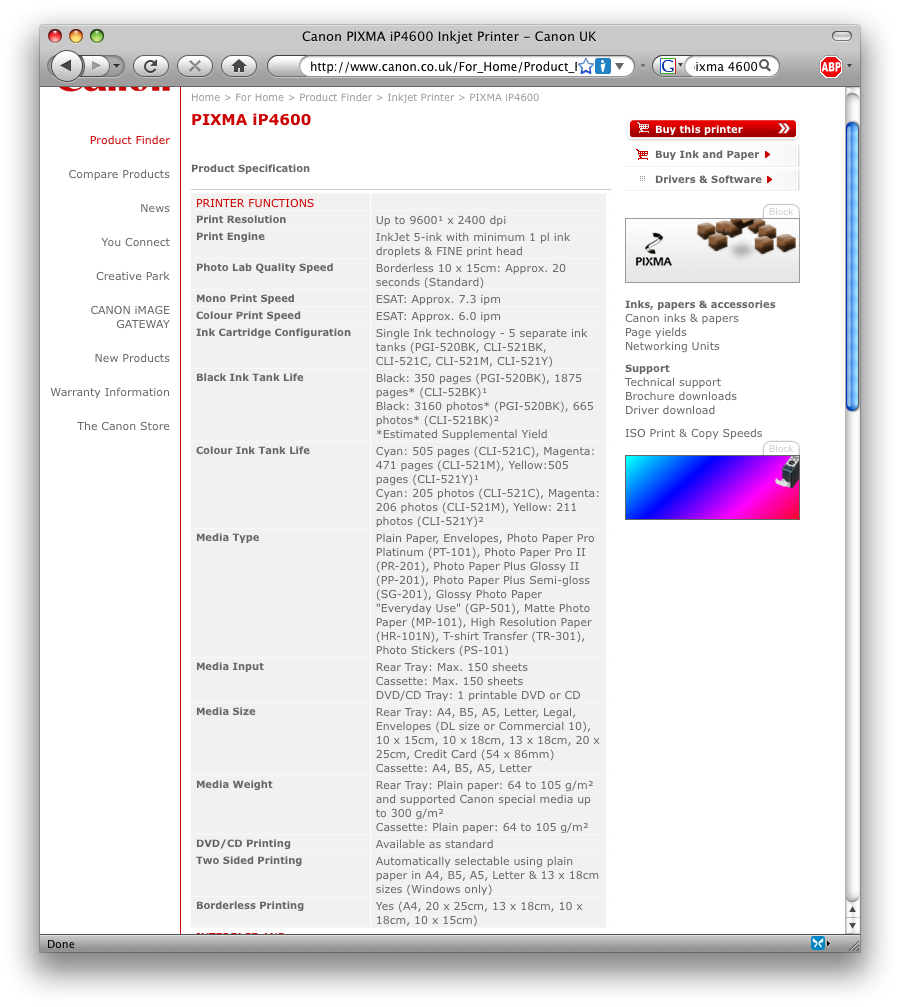
I have been looking for a new printer that could print on both sides of the paper (duplex). The Canon Pixma iP4600 caught my attention since it it supposed be able to print duplex. However, the specifications are unclear. It looks like only Windows computers can print duplex (see screenshot below). Since I am using a Mac, that would be rather dissapointing. I googled around and found no clear anwser. In the end I bought one and tried it out myself. I can confirm that it is possible to print duples on the iP4600 from a Mac (see printer dialogue below). Canon’s specifications should be more precise.
Upgrade
Today I upgraded the back end of my website. WordPress has evolved considerably and the results are convincing. The website is now much faster. Some of the newer themes ever require a recent version. Maybe the best feature is the automatic upgrade. I hope that this was the last time that I had to move files around manually.
Promotion Video Industrial Design TU/e
The Department of Industrial Design at the Eindhoven University of Technology has got a new promotion video. The scenes with the laser cutting tiles is based on our master module “The Golden Ration“.